
iSyntaxToTIFF
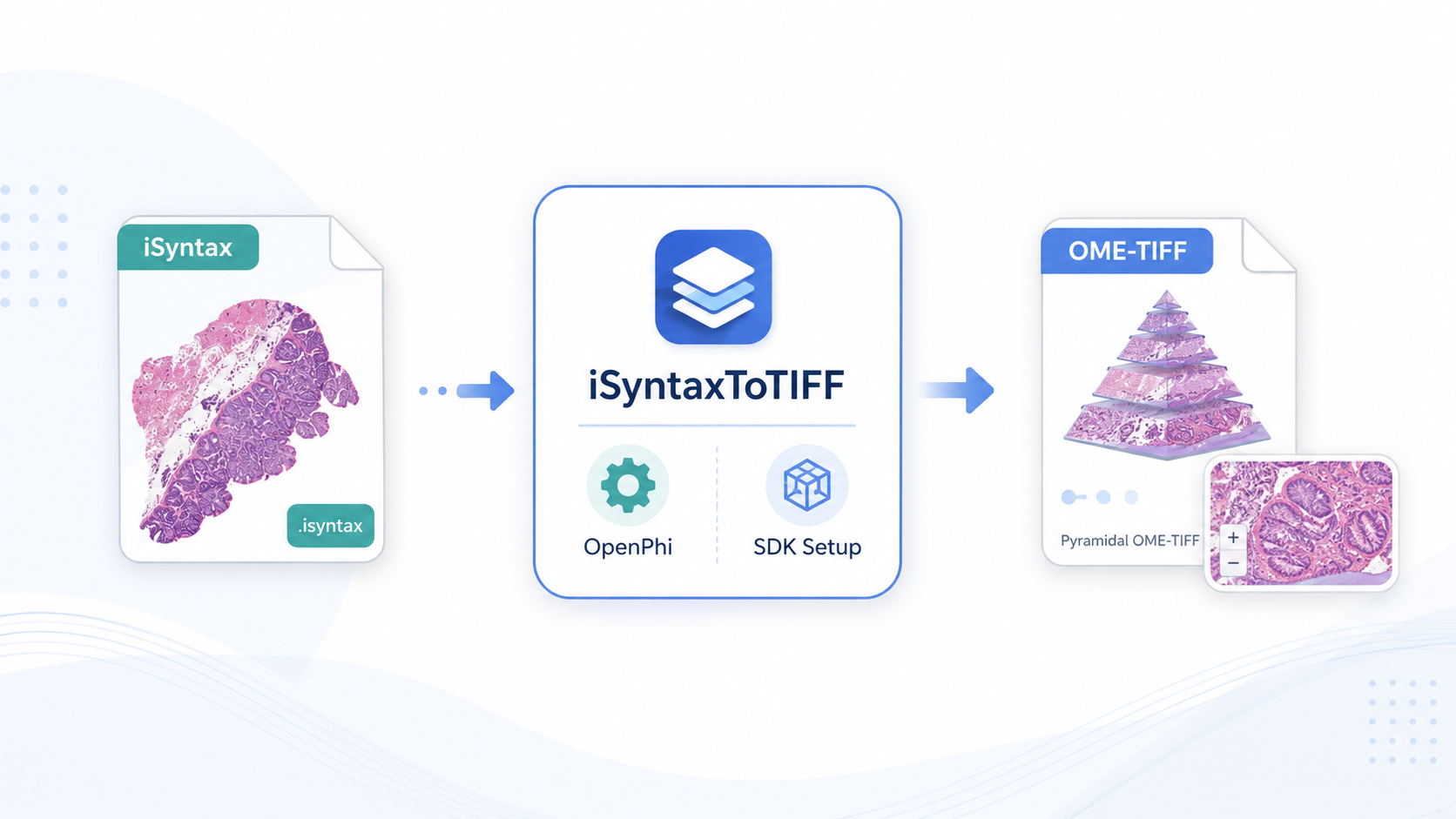
Standalone converter for Philips .isyntax whole-slide images to pyramidal RGB OME-TIFF,
using OpenPhi and the Philips Pathology SDK.
Workflow overview
iSyntaxToTIFF is designed as a focused helper application for laboratories that need to convert Philips iSyntax whole-slide images into an open pyramidal OME-TIFF format for downstream viewing, tiling, annotation or analysis in tools such as QuPath, Fiji or custom Python workflows.
Requirements
- iSyntaxToTIFF release package for Windows or Linux.
- Philips Pathology SDK obtained directly from Philips and configured in the app.
- Philips
.isyntaxwhole-slide image files.
SDK package
As of June 2026, the Philips Pathology SDK can be obtained from the Philips portal by searching for PathologySDK and downloading PathologySDK_2.0-L1_Packages.
Main features
- Conversion from Philips
.isyntaxto pyramidal RGB.ome.tif. - SDK setup from a ZIP file or from an extracted SDK folder.
- SDK import test from the GUI.
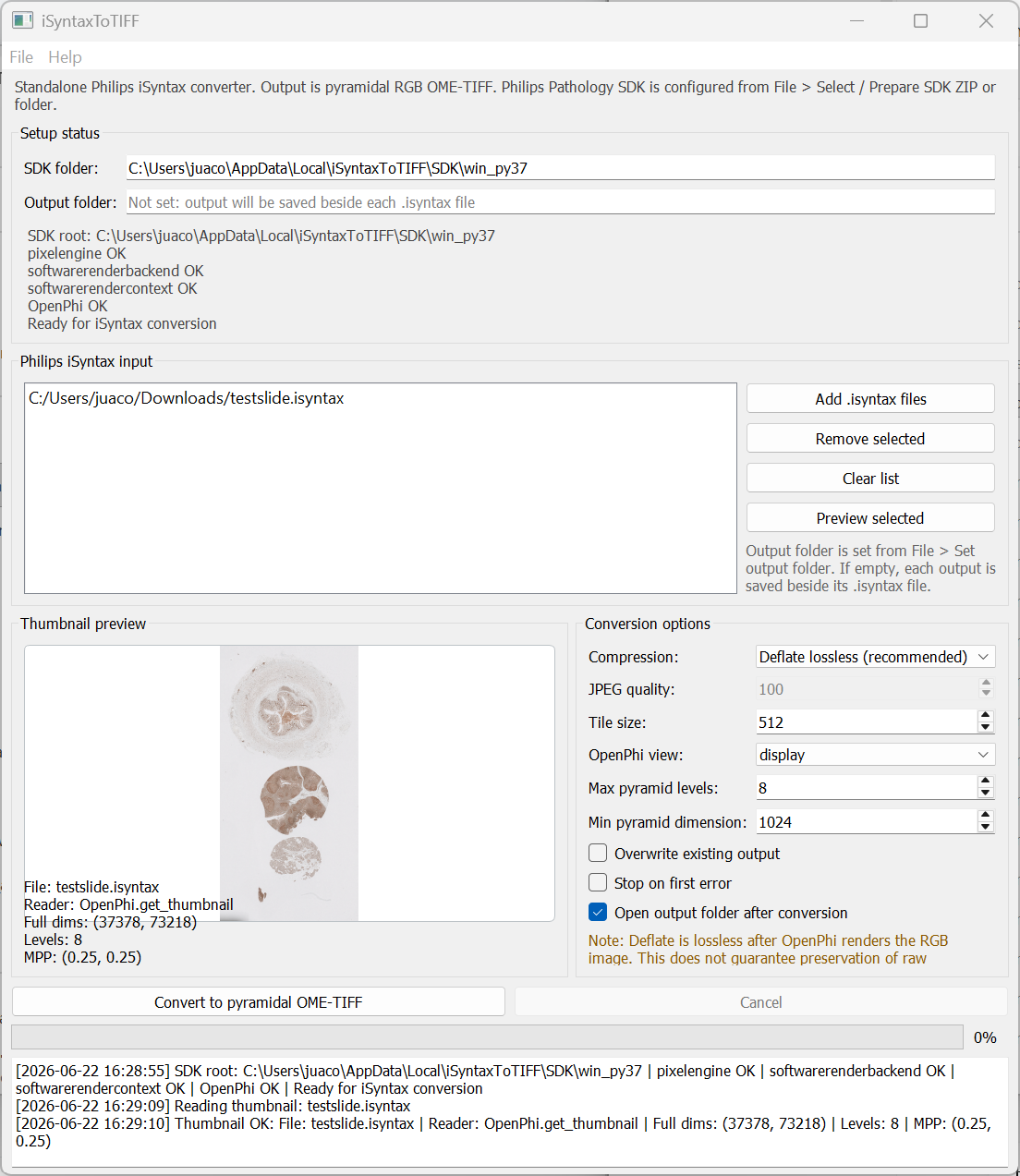
- Thumbnail preview before conversion.
- Optional output folder selection.
- CSV conversion log for each batch run.
- Windows and Linux build workflows.
Recommended use
- Select or prepare the Philips Pathology SDK once from the File menu.
- Run Test SDK before conversion.
- Use Deflate lossless compression for maximum practical fidelity.
- Use display view for brightfield visual workflows such as H&E and IHC.
- If no output folder is selected, outputs are saved beside each input file.
First-time workflow
- Download and extract the iSyntaxToTIFF release package for your operating system.
- Run
iSyntaxToTIFF. - Go to File > Select / Prepare SDK ZIP or folder.
- Select the Philips Pathology SDK ZIP or extracted SDK folder.
- Run File > Test SDK.
- On Windows, if required, run File > Run SDK installer.
- Add
.isyntaxfiles and convert them to.ome.tif.
Outputs
For each converted file, the app creates:
- A pyramidal RGB OME-TIFF file:
image_name.ome.tif. - OME metadata including physical pixel size when exposed by OpenPhi.
- Internal tiled pyramid levels suitable for whole-slide viewers.
- A CSV conversion log documenting success, errors and output paths.
Compression
- Deflate lossless: recommended default.
- JPEG: optional smaller lossy output with quality control.
- Uncompressed: optional but produces very large files.
Deflate is lossless with respect to the rendered RGB image returned by OpenPhi.
OpenPhi-based reading
The app uses OpenPhi to open Philips iSyntax files, read metadata, generate thumbnails, and extract image regions. iSyntaxToTIFF then writes the rendered RGB data as pyramidal OME-TIFF.
Notes and limitations
- Designed mainly for brightfield visual workflows such as H&E and IHC.
- The output is a rendered RGB representation, not a raw scanner data export.
- Raw multichannel fluorescence information or quantitative intensity preservation should be validated independently.
- The Philips Pathology SDK is required separately and is subject to Philips' own license terms.
Supported SDK targets
- Windows: Philips Pathology SDK Windows Python 3.7 research package.
- Linux: Philips Pathology SDK Ubuntu 20.04 Python 3.8 research package.
Screenshot
Main interface for SDK setup, iSyntax file selection, thumbnail preview, conversion options and batch logging.
Citation
Rodríguez-Rojas J. iSyntaxToTIFF: A standalone converter for Philips iSyntax whole-slide images to pyramidal OME-TIFF. Version 1.0. Zenodo. 2026. doi: 10.5281/zenodo.20798592.