
QuPath GeoJSON Converter
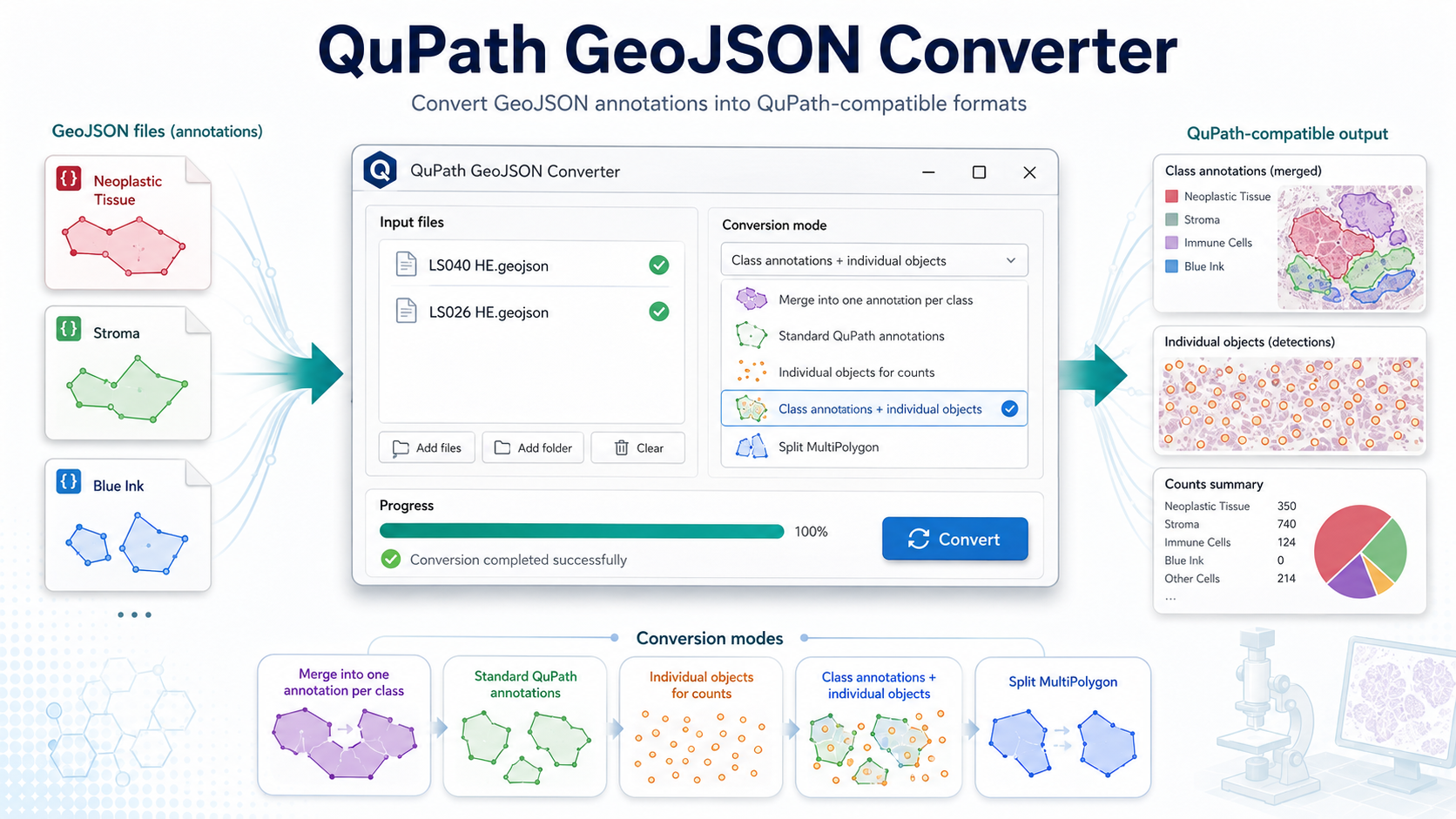
Lightweight desktop application for converting GeoJSON annotation files from external annotation or segmentation tools into QuPath-compatible annotation and detection formats.
What it does
The converter rewrites external GeoJSON classification fields, such as
class_name and class_color_hex, into QuPath-style
object properties using objectType and classification.
- Converts single files, multiple files or complete folders.
- Supports optional recursive folder processing.
- Saves outputs in the original location or a custom folder.
- Preserves extra metadata fields when needed.
Input and output
Expected input metadata:
{
  "class_name": "Neoplastic Tissue",
  "class_color_hex": "#FF0100"
}
Converted QuPath-compatible properties:
{
  "objectType": "annotation",
  "classification": {
    "name": "Neoplastic Tissue",
    "color": [255, 1, 0]
  }
}
Requirements
- Standalone release: download the executable from GitHub Releases.
- From source: Python 3.9 or later.
- Python packages:
shapely. - Tkinter GUI support. Tkinter is included with most Python installations.
Output files
Converted files are saved with the suffix _qupath.geojson.
1. Merge into one annotation per class
Creates one class-level QuPath annotation for each class by merging geometries that share the same class name.
Useful for: broad class-level regions such as stroma, tumor or ink areas.
2. Standard QuPath annotations
Converts each input GeoJSON feature into one QuPath annotation without merging, splitting or converting it into a detection object.
Useful for: safest general-purpose conversion.
3. Individual objects for counts
Converts each input feature into a QuPath detection/object instead of an annotation.
Useful for: class-specific object counting in QuPath.
4. Class annotations + individual objects
Creates class-level annotations while also preserving the individual objects for that class.
Useful for: combining class-level regions with object-level counts.
5. Split MultiPolygon
Splits MultiPolygon geometries into individual Polygon annotations.
Useful for: troubleshooting complex geometries during QuPath import.
Import into QuPath
- Run the converter and generate the
_qupath.geojsonfile. - Open the corresponding image in QuPath.
- Import the converted GeoJSON file into the QuPath project.
- Review classes, annotations, detections and counts according to the selected mode.
Screenshots
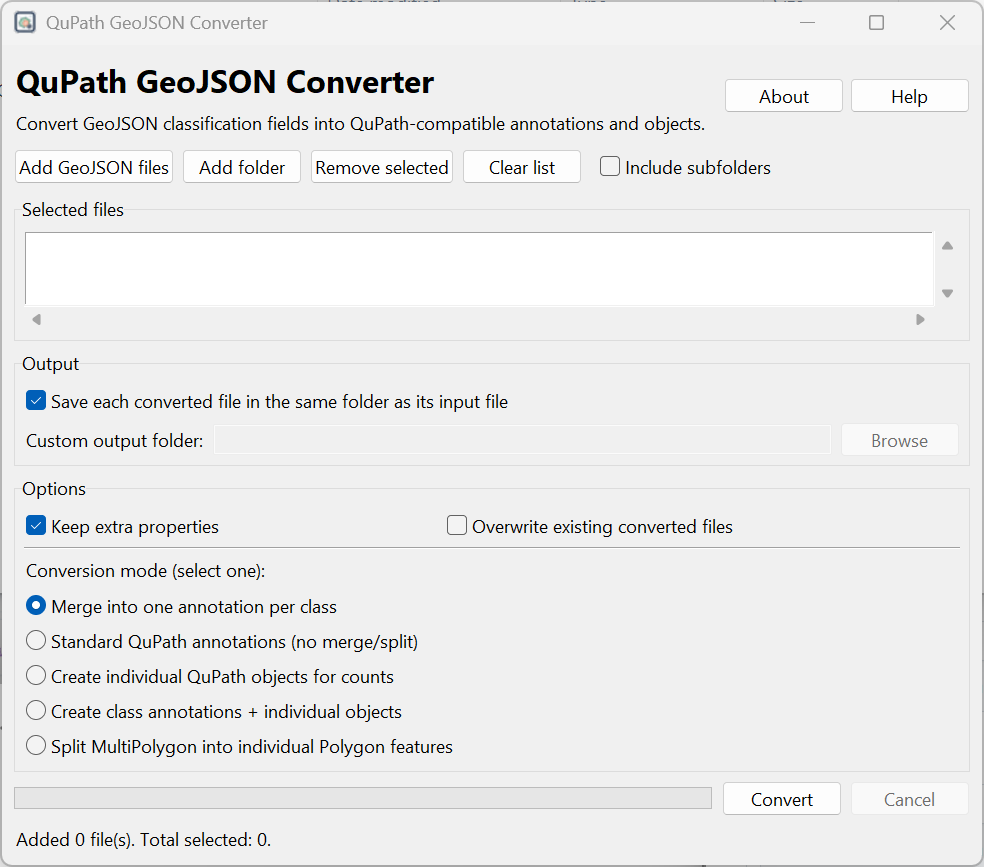
Main interface and conversion workflow.
Build from source
Clone and run:
git clone https://github.com/Juaco2r/qupath-geojson-converter.git
cd qupath-geojson-converter
pip install -r requirements.txt
python qupath_geojson_converter_gui.py
Build locally with PyInstaller:
pyinstaller --clean --noconfirm qupath_geojson_converter_gui.specCitation
If you use this software, please cite:
Rodriguez J. QuPath GeoJSON Converter. Version 1.0.0. Zenodo. DOI: 10.5281/zenodo.20496387.
License
MIT License.
Disclaimer
This is an independent utility and is not affiliated with or endorsed by the QuPath project.